XO Immersion Repair
This is a failure analysis of an XO laptop which had been immersed in water for several days.
Summary
After immersion in flood water for several days, an XO laptop should be completely discarded, with the possible exception of the display. Even if components continue to function, it is very likely that they will fail in the near future.
Description
OLPC received a laptop, CSN74800466, from a small school that had been flooded.
Upon receipt, the EC was operating (the battery LED indicated external power and battery charging), but the screen did not light up and no sound was heard on power up.
Display
The display showed serious corrosion on the backlight cable, and minor corrosion on the main display cable. After replacing the backlight (due to cable corrosion, the actual lightbar appeared fine), the display functioned correctly!
-
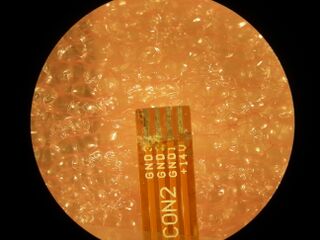 Backlight cable
 -
 Display cable


Battery
The battery contacts showed minor corrosion, but not in areas where the electrical connection is actually made.
-
 Battery contacts
 -
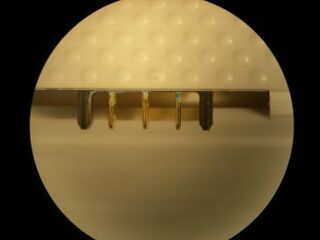 Laptop battery contacts


Motherboard
Upon disassembly, it was determined that the motherboard was seriously oxidized. The worst damage was to the power supply units and the WLAN. This was likely due to the battery keeping the VIN rail powered during the immersion:
-
 Battery charger
 -
 Closeup of Battery Charger IC
 -
 Backlight Power Supply
 -
 +1.2V Supply
 -
 WLAN module
 -
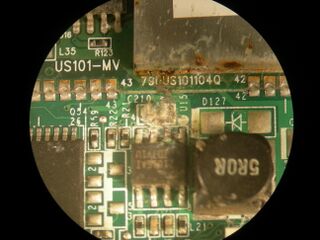 WLAN module and +3.3V Supply


One of the RTC battery holder contacts was seriously corroded:
-
 RTC Battery Holder

The main connection to the display was relatively OK, but the backlight connector contacts were seriously corroded:
-
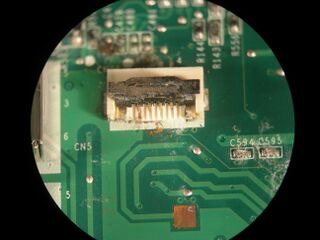 Backlight Conn.
 -
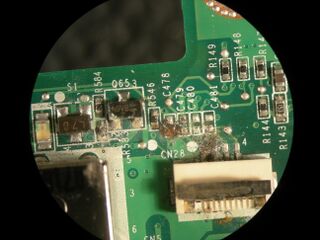 Backlight Conn.


Laptop Bottom
Opening up the bottom of the unit, the "hidden" battery connector showed serious corrosion on one pin.
-
 Backlight Conn.

The connector between the KBC and the cable going to the motherboard showed only surface (non-contact) corrosion. The KBC itself only showed minor corrosion on the KBC chip.
-
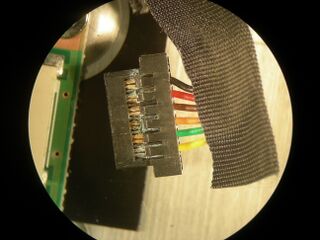 KBC/MB cable
 -
 KBC chip


Keyboard
The keyboard showed corrosion on the flex cable connecting to the Keyboard Controller (KBC) PCB (not in the contact area, but destructive given the nature of flex cable traces.) The keyboard matrix itself almost survived. There was a small amount of corrosion between the membranes under the space key and the V key.
-
 Keyboard flex cable
 -
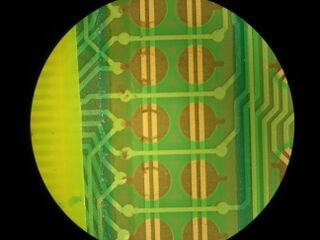 Keyboard bottom membrane (space)
 -
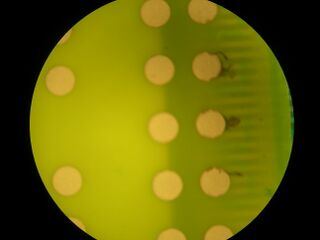 Keyboard top membrane
 -
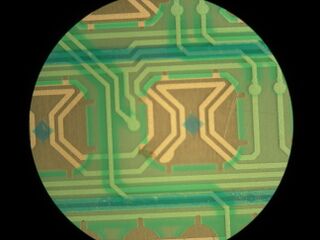 Keyboard bottom membrane (V)


