XO Time

"XO Time" is a letter from XO Kazubwenge that is published each Tuesday in the Children's Times section of New Times Newspaperof Kigali, Rwanda.
Week 1 - June 29th: Drawing a new shape in Turtle Art
This week's challenge (pdf) is to show XO Kazubwenge how to draw a shape of your choosing in TurtleArt. An open learning session was held at the MTN Center on Saturday, July 4th (Independence Day in Kigali!).
- XO Time Learning Session (July 4, 2009) Photos
-
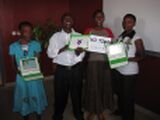 Students with their creations at the learning session
 -
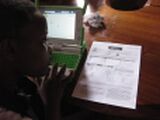 Reading the XOTime Article (pdf)
 -
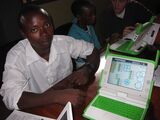 Student with practice shapes in TurtleArt
 -
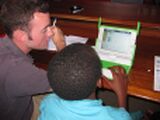
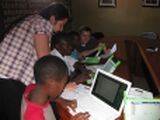 Silvia Kist of the Learning Team and Bryan Stuart of OLPCorps work with students
 -


Week 2: Drawing your house
This week's challenge (doc) (pdf) is to show XO Kazubwenge how to draw a house in TurtleArt. An open learning session was held at the MTN Center on Saturday, July 11th.
- XO Time Learning Session (July 11, 2009) Photos
-
 Group photo
 -
 Student Gislene from Kagugu Primary School shows her house she created with TurtleArt


Week 3: Drawing your name
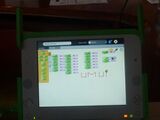
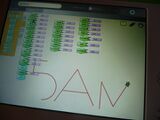
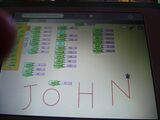
This week's challenge (pdf) is to show XO Kazubwenge how to draw your name in TurtleArt. An open learning session was held at the MTN Center on Saturday, July 18th.
- XO Time Learning Session (July 18, 2009) Photos
-
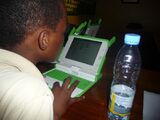 Student Sandrine from Kagugu Primary School teaching the turtle to draw her name with TurtleArt
 -
-
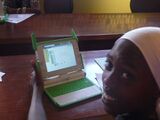 Student Pascaline from Kagugu Primary School teaching the turtle to draw her name with TurtleArt
 -
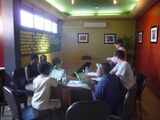 Group photo
 -
-


Week 4: Drawing a beautiful design
This week's challenge (pdf) is to show XO Kazubwenge how to draw a beautiful design in TurtleArt.
Week 5: Drawing a design
This week's challenge (pdf) is to try to repeat the designs and show XO Kazubwenge the blocks that you used.
- XO Time Learning Session (August 1, 2009) Photos
-
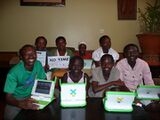 Students from Nonko and Kagugu Primary School
 -

-
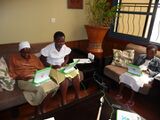 Student from Kagugu School


Week 6: Creating your own design
This week's challenge (pdf) is to show XO Kazubwenge how to create a design in TurtleArt.
- XO Time Learning Session (August 8, 2009) Photos
-
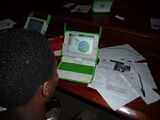 Student Mars from Kagugu Primary School
 -
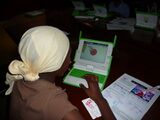 Student Pascaline from Kagugu Primary School
 -
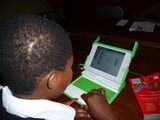 Student from Kagugu School
 -
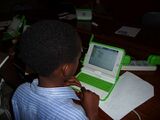 Student Sandrine from kagugu School
 -
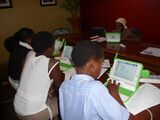 Group photo


Week 7: Drawing a sun
This week's challenge (pdf) is to show XO Kazubwenge how to draw a sun.
- XO Time Learning Session (August 15, 2009) Photos
-
 Group photo
 -
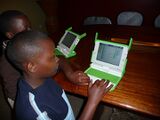 Student Mars from Kagugu Primary School
 -
 Student Dodos from Secundary School
 -
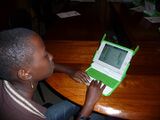 Student Gislene from kagugu School
 -
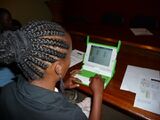 Student Fiona from Secundary School
 -
 Student Sandrine from Kagugu School


NOTE: YOU CAN FIND THE STUDENT'S WORK IN SCRATCH HERE: http://scratch.mit.edu/users/xotime
Week 8: Introducing yourself in Scratch
This week's challenge (pdf) is to create a script to introduce your self in Scratch.
Week 9: Trying to use FOREVER in Scratch
This week's challenge (pdf) is to create a script using FOREVER Scratch.
Week 10: Changing Costumes in Scratch
This week's challenge (pdf) is to change your Sprite's costume so it looks animated Scratch.
- XO Time Learning Session (September, 2009) Photos
-
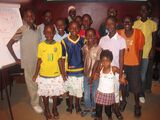 Group photo
 -
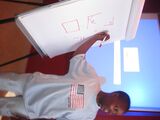 Mars is now the teacher!
_042.jpg)

Week 11: Creating a dialogue in Scratch
This week's challenge (doc) is to create a dialogue between two sprites using Scratch.
Week 12: Creating a simple story in Scratch
This week's challenge (doc) is to create a simple story using alll the techniques we have learned thus far in Scratch.
Week 13: Paint your own background in Scratch
This week's challenge (doc) is to create a background for your simple stories in Scratch.
- XO Time Learning Session (September, 2009) Photos
-
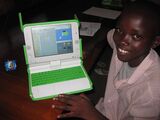 Kagugu Primary School student Christian shows off his work
 -
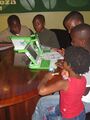 XO Time students concentrate on the task at hand!
 -
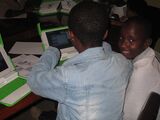 An XO Time student flashes a smile


Week 14: Import a picture as your background in Scratch
This week's challenge (doc) is to take a photo in Record, import into your background for your simple stories in Scratch.
- XO Time Learning Session (October, 2009) Photos
-
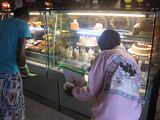 Students take pictures of cakes for their backgrounds
 -
 Students also take pictures of other pictures
 -
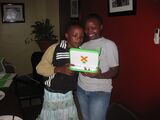 Marci & Sandrine share a laugh
 -
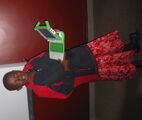 Rose shows off her work
 -
 Rebecca from Kigali Parents holds up her laptop
 -
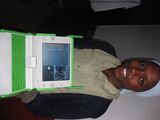 Pascaline displays her beautiful picture background


Week 15: Change your background during your story in Scratch
This week's challenge (doc) is have your background change during your simple stories in Scratch.
Week 16: Creating animation in Scratch
This week's challenge (doc) is to create an animation using either the background or a Sprite in Scratch.
- XO Time Learning Session (November, 2009) Photos
-
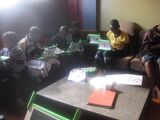 Students concentrate on the challenge
 -
Pascaline displays her beautiful picture background

Week 17: Using Hide & Show in Scratch
This week's challenge (doc) is to create a story where one or more character(s) hide & shows in Scratch.
Week 18: Using Sound in Scratch
This week's challenge ( doc)is to create a story using Sound in Scratch.